🇿🇼
Zimbabwe Flag Emoji
📋 Copy & Code
Emoji
🇿🇼
With name
🇿🇼 Zimbabwe Flag
Shortcode
:flag-zw:
Unicode
U+1F1FF U+1F1FC
HTML Dec
🇿🇼
HTML Hex
🇿🇼
CSS
\1F1FF\1F1FC
C, C++ & Python
\U0001f1ff\U0001f1fc
Java, JS & JSON
\uD83C\uDDFF\uD83C\uDDFC
Perl
\x{1F1FF}\x{1F1FC}
PHP & Ruby
\u{1F1FF 1F1FC}
URL Escape
%F0%9F%87%BF%F0%9F%87%BC
💡 What does 🇿🇼 mean?
The Zimbabwe Flag emoji 🇿🇼 is part of the Country Flag group within Flags. It's widely used in digital conversations to visually represent Country Flag, making messages more expressive and immediately recognizable across platforms.
Use it in group chats, story reactions, or email subject lines. It's universally understood and renders correctly on every platform.
You'll frequently see 🇿🇼 paired with 🏁 Chequered Flag, 🚩 Triangular Flag On Post, 🎌 Crossed Flags in real conversations — they complement each other naturally.
First introduced in Unicode 2.0.
💬 Chat Examples
Here's how the Zimbabwe Flag emoji 🇿🇼 is used in real conversations:
Zimbabwe 🇿🇼
Also Victoria Falls! 🇿🇼💦
Amazing wildlife 🇿🇼🐘
🖼️ Zimbabwe Flag on Different Platforms
 Apple
Apple
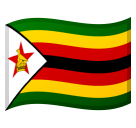 Google
 Twitter / X
 Facebook
🇿🇼
Your Browser
🔗 Word Associations
The 🇿🇼 emoji is often associated with:
⌨️ How to type 🇿🇼
Windows
Win + . → search "zimbabwe flag"
Mac
Cmd + Ctrl + Space
Linux
Ctrl + . (GNOME)
Mobile
Emoji keyboard 🔤
Or simply copy from this page!
👥 Related Emojis
📦 Other country-flag Emojis
❓ FAQ
What does the Zimbabwe Flag emoji 🇿🇼 mean?
The Zimbabwe Flag emoji 🇿🇼 is part of the Flags category (country-flag group). It was added in Unicode 2.0 and is available on all major platforms including iOS, Android, and Windows.
How do I copy the Zimbabwe Flag emoji?
Click the "Copy 🇿🇼" button at the top of this page, or click any copy button
next to the format you need (emoji, shortcode, HTML entity, or Unicode).
What is the shortcode for 🇿🇼?
The shortcode is
:flag-zw:. You can use it on platforms
like Slack, Discord, and GitHub.