🇺🇿
Uzbekistan Flag Emoji
📋 Copy & Code
Emoji
🇺🇿
With name
🇺🇿 Uzbekistan Flag
Shortcode
:flag-uz:
Unicode
U+1F1FA U+1F1FF
HTML Dec
🇺🇿
HTML Hex
🇺🇿
CSS
\1F1FA\1F1FF
C, C++ & Python
\U0001f1fa\U0001f1ff
Java, JS & JSON
\uD83C\uDDFA\uD83C\uDDFF
Perl
\x{1F1FA}\x{1F1FF}
PHP & Ruby
\u{1F1FA 1F1FF}
URL Escape
%F0%9F%87%BA%F0%9F%87%BF
💡 What does 🇺🇿 mean?
When someone drops 🇺🇿 into a message, the intent is usually tied to Country Flag. As part of the Country Flag group within Flags, it fills a specific niche that text alone can't easily convey — adding visual context in an instant.
Drop it into conversations, bios, or posts. It conveys tone instantly — something plain text struggles to do on its own.
In the same family as 🏁 Chequered Flag, 🚩 Triangular Flag On Post, 🎌 Crossed Flags. Together they cover a broader range of expression within Flags.
First introduced in Unicode 2.0.
💬 Chat Examples
Here's how the Uzbekistan Flag emoji 🇺🇿 is used in real conversations:
Uzbekistan 🇺🇿
Silk Road cities! 🇺🇿🕌
Samarkand is stunning 🇺🇿✨
🖼️ Uzbekistan Flag on Different Platforms
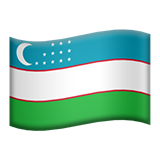 Apple
Apple
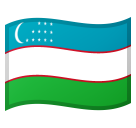 Google
 Twitter / X
 Facebook
🇺🇿
Your Browser
🔗 Word Associations
The 🇺🇿 emoji is often associated with:
⌨️ How to type 🇺🇿
Windows
Win + . → search "uzbekistan flag"
Mac
Cmd + Ctrl + Space
Linux
Ctrl + . (GNOME)
Mobile
Emoji keyboard 🔤
Or simply copy from this page!
👥 Related Emojis
📦 Other country-flag Emojis
❓ FAQ
What does the Uzbekistan Flag emoji 🇺🇿 mean?
The Uzbekistan Flag emoji 🇺🇿 is part of the Flags category (country-flag group). It was added in Unicode 2.0 and is available on all major platforms including iOS, Android, and Windows.
How do I copy the Uzbekistan Flag emoji?
Click the "Copy 🇺🇿" button at the top of this page, or click any copy button
next to the format you need (emoji, shortcode, HTML entity, or Unicode).
What is the shortcode for 🇺🇿?
The shortcode is
:flag-uz:. You can use it on platforms
like Slack, Discord, and GitHub.