🇳🇱
Netherlands Flag Emoji
📋 Copy & Code
Emoji
🇳🇱
With name
🇳🇱 Netherlands Flag
Shortcode
:flag-nl:
Unicode
U+1F1F3 U+1F1F1
HTML Dec
🇳🇱
HTML Hex
🇳🇱
CSS
\1F1F3\1F1F1
C, C++ & Python
\U0001f1f3\U0001f1f1
Java, JS & JSON
\uD83C\uDDF3\uD83C\uDDF1
Perl
\x{1F1F3}\x{1F1F1}
PHP & Ruby
\u{1F1F3 1F1F1}
URL Escape
%F0%9F%87%B3%F0%9F%87%B1
💡 What does 🇳🇱 mean?
🇳🇱 represents Country Flag in the Unicode emoji standard. Categorized under the Country Flag group within Flags, this emoji is supported on Apple, Google, Samsung, Microsoft, and every major platform — though each renders it with subtle design differences.
Fits naturally into WhatsApp messages, TikTok comments, and Slack reactions. One of those emojis that says a lot with a single tap.
First introduced in Unicode 2.0.
💬 Chat Examples
Here's how the Netherlands Flag emoji 🇳🇱 is used in real conversations:
Netherlands 🇳🇱
Tulips and windmills! 🇳🇱🌷
Biking in Amsterdam 🇳🇱🚲
🖼️ Netherlands Flag on Different Platforms
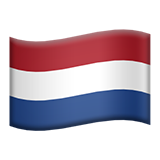 Apple
Apple
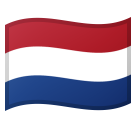 Google
 Twitter / X
 Facebook
🇳🇱
Your Browser
🔗 Word Associations
The 🇳🇱 emoji is often associated with:
⌨️ How to type 🇳🇱
Windows
Win + . → search "netherlands flag"
Mac
Cmd + Ctrl + Space
Linux
Ctrl + . (GNOME)
Mobile
Emoji keyboard 🔤
Or simply copy from this page!
👥 Related Emojis
📦 Other country-flag Emojis
❓ FAQ
What does the Netherlands Flag emoji 🇳🇱 mean?
The Netherlands Flag emoji 🇳🇱 is part of the Flags category (country-flag group). It was added in Unicode 2.0 and is available on all major platforms including iOS, Android, and Windows.
How do I copy the Netherlands Flag emoji?
Click the "Copy 🇳🇱" button at the top of this page, or click any copy button
next to the format you need (emoji, shortcode, HTML entity, or Unicode).
What is the shortcode for 🇳🇱?
The shortcode is
:flag-nl:. You can use it on platforms
like Slack, Discord, and GitHub.